
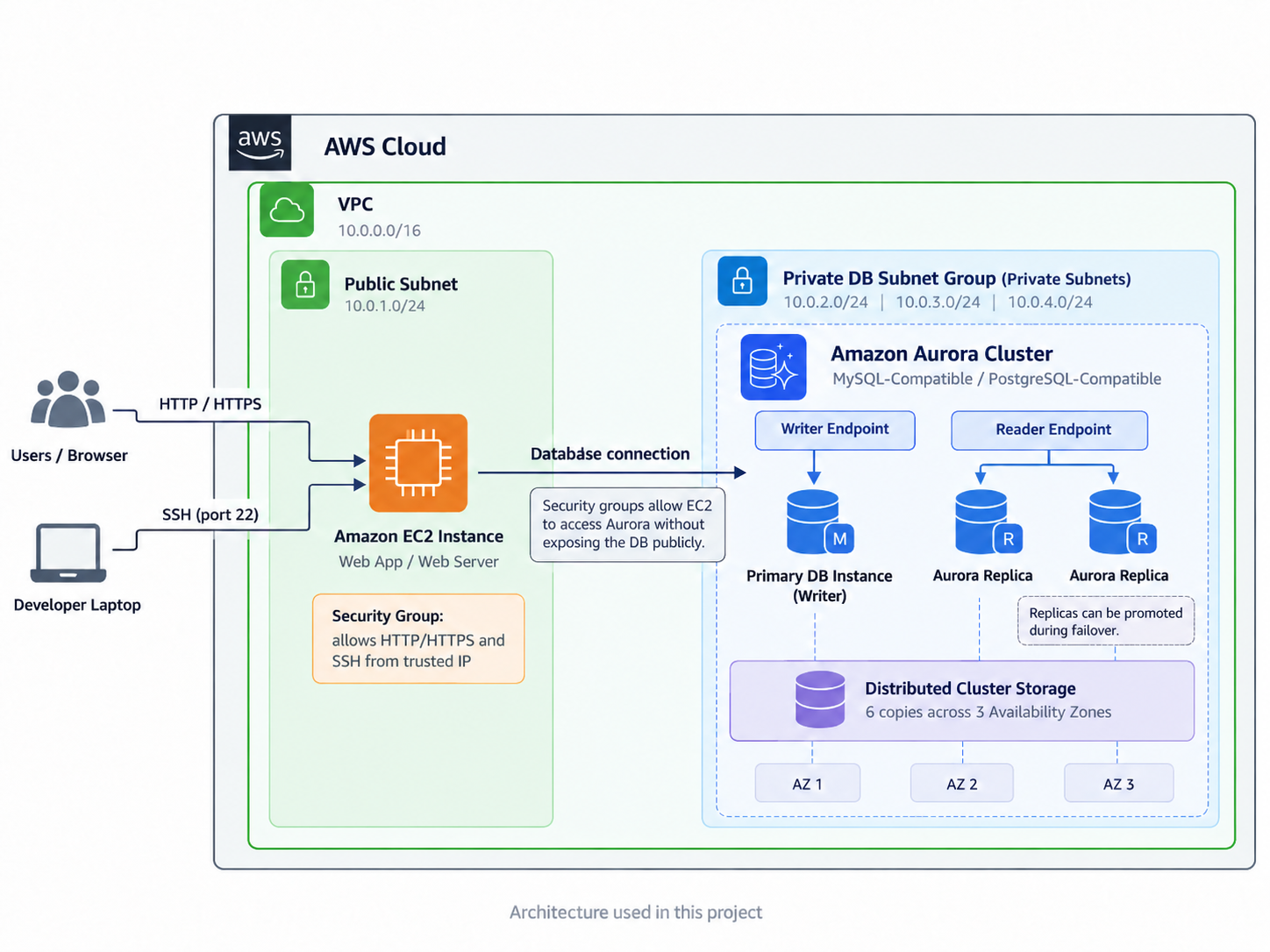
1. Introducing Today’s Project!
What is Amazon Aurora?
Amazon Aurora is a fully managed relational database service available through Amazon RDS. It’s compatible with MySQL and PostgreSQL and is designed for applications that need high availability, scalability, and strong database performance.
How I used Amazon Aurora in this project
In today’s project, I used Amazon Aurora as the relational database behind a web application running on an EC2 instance.
The goal was to create an Aurora database cluster, set up an EC2 instance as the web server, and connect the two.
2. Creating an Aurora Cluster
A relational database organizes data into tables made up of rows and columns. The data can then be queried and manipulated using a structured query language such as SQL.
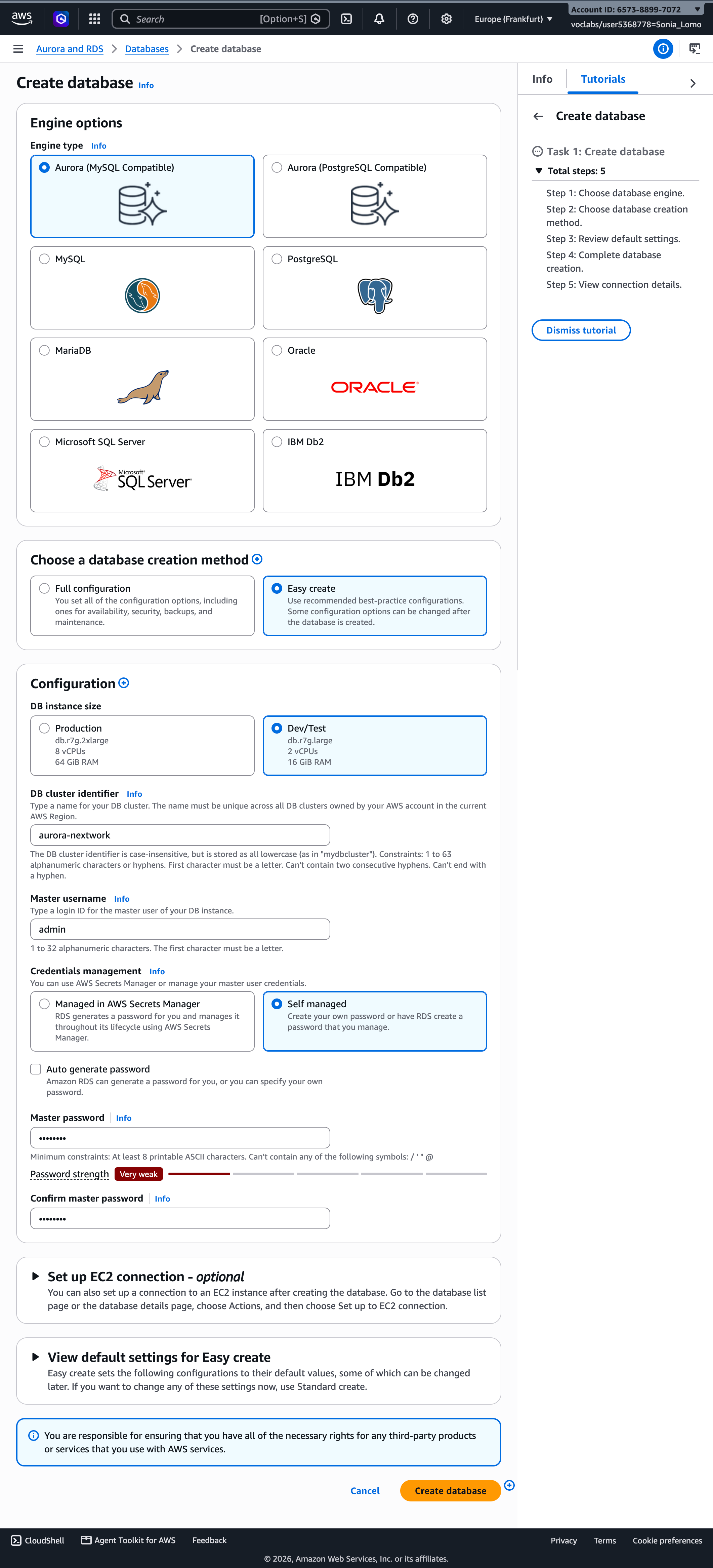
Aurora is a good option when you need a highly available and scalable relational database. Under the hood, Aurora uses a distributed storage architecture that replicates your database data across multiple Availability Zones.
For your 100th startup idea that’s probably going to be abandoned in two weeks, though?
Probably not.
You’d likely be better off starting small with a standard PostgreSQL RDS database like most sane developers. It’ll usually be cheaper and simpler while you’re still trying to find your first few users.
You can always start thinking about something like Aurora after you gain 10 million users overnight because your app randomly went viral on Twitter.

3. Setting up the EC2 instance
While setting up Aurora, there’s an option to create the database first and connect an EC2 instance later.
That’s the route I chose.
After creating the database cluster, I went to the Databases section in Amazon RDS and selected my Aurora cluster.
From there:
Actions → Set up EC2 connection
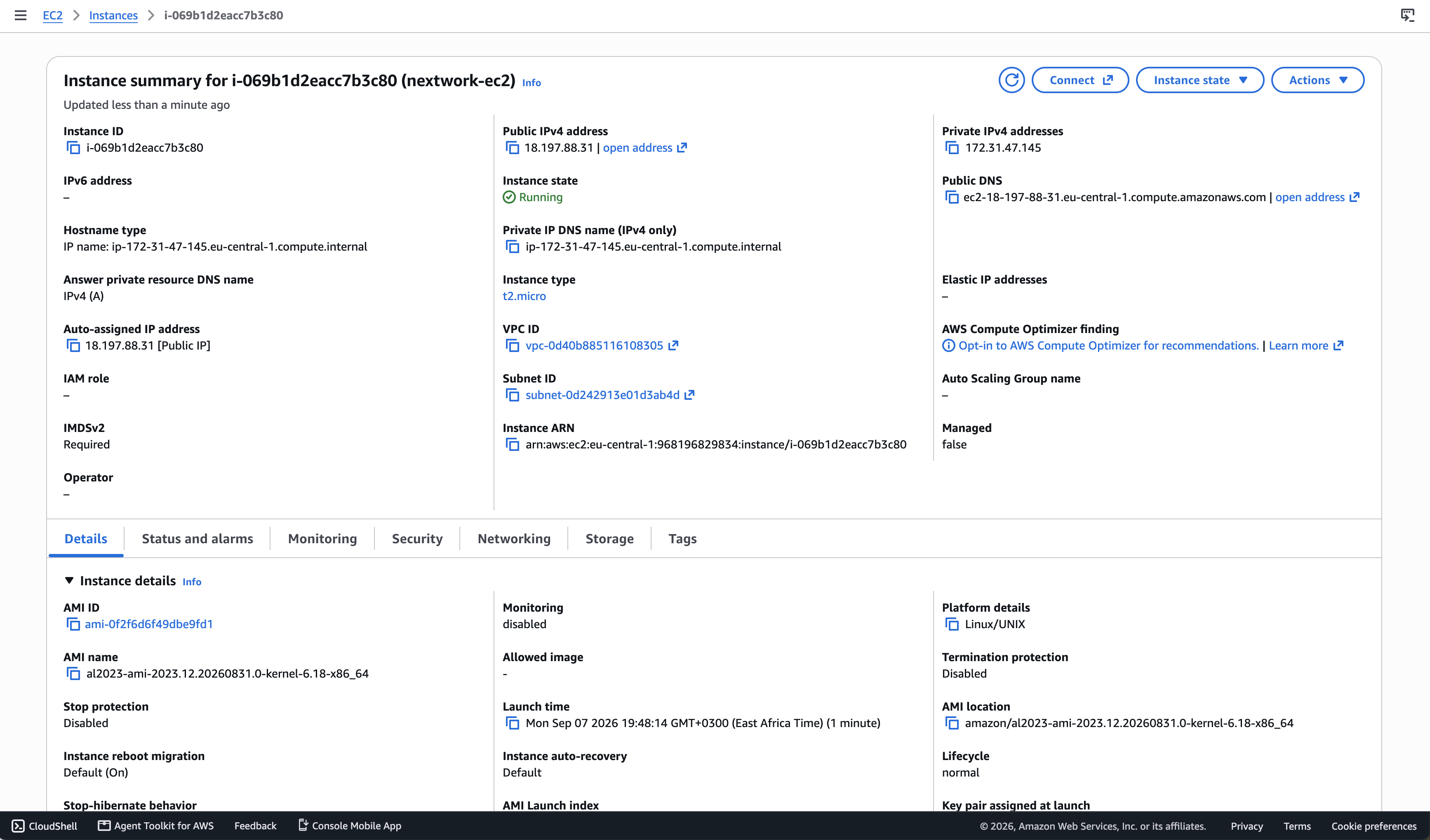
AWS then takes you to the Set up EC2 connection page, where you can select an existing EC2 instance in the same VPC as the Aurora cluster. If there isn’t one available, AWS gives you the option to create a new EC2 instance.
I created a new EC2 instance.
This EC2 instance would act as the web server for the application instead of running the server locally on my machine.
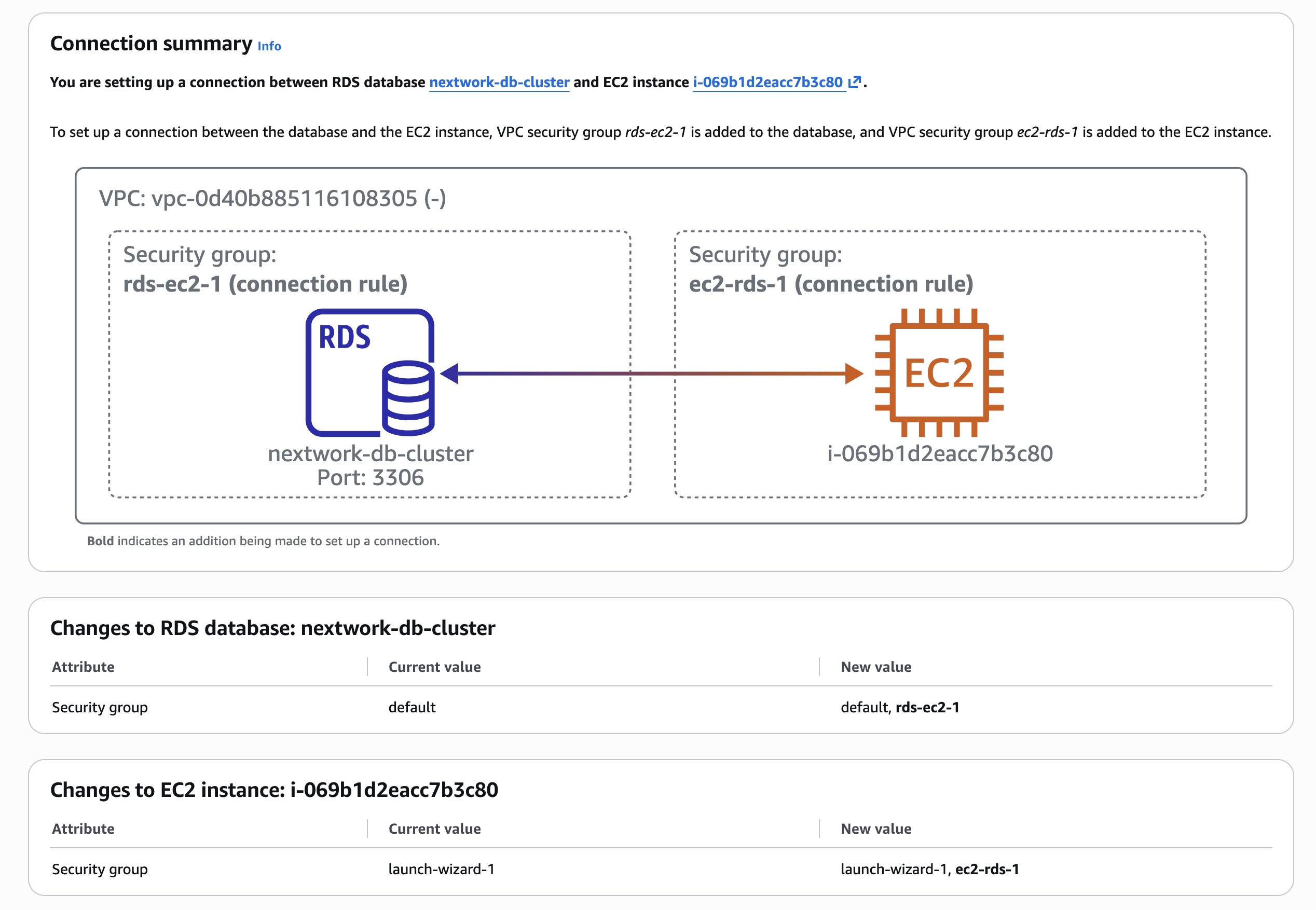
AWS also helps configure the security groups that allow the EC2 instance and Aurora database to communicate with each other over the VPC.
Features of my EC2 instance
While creating the EC2 instance, there were two settings I paid particular attention to.
First, I created a new key pair.
I wanted to be able to connect to the EC2 instance from my local terminal over SSH later, so having the private key was important.
I also configured the instance to allow HTTP traffic so that the web application running on the instance could be accessed through the browser.
4. Final database setup
Aurora uses database clusters to improve availability.
Instead of relying on a single database instance, an Aurora cluster can contain multiple database instances. One instance acts as the primary writer, handling operations that modify data. Other instances can act as Aurora Replicas, which can handle read-only traffic and reduce the workload on the primary instance.
This architecture helps distribute read traffic and gives Aurora another instance it can promote if the primary writer fails.
Applications normally connect to the writer endpoint for read/write operations and can use the reader endpoint for read-only traffic. If Aurora performs a failover, the writer endpoint is redirected to the new primary instance, so the application doesn’t need to track which specific database instance is currently the writer.
And that is one of the reasons Aurora is useful for applications where database availability actually matters.
For the startup idea with three users—including you, your friend, and your second test account?
Maybe stick with PostgreSQL for now.
5. Thoughts…
I expected connecting an EC2 instance to Aurora to involve a lot more manual networking configuration.
Instead, AWS handles a surprising amount of the setup for you, especially when it comes to configuring the EC2-to-database connection and security groups.
It was a good reminder that even though the console makes the process feel simple, there’s still quite a bit happening underneath: VPC networking, security groups, database endpoints, replicas, and failover.
Have a project or engineering opportunity in mind? Get in touch with Sonia.